 FutsuBeta
Draw your pipeline. Then run it.
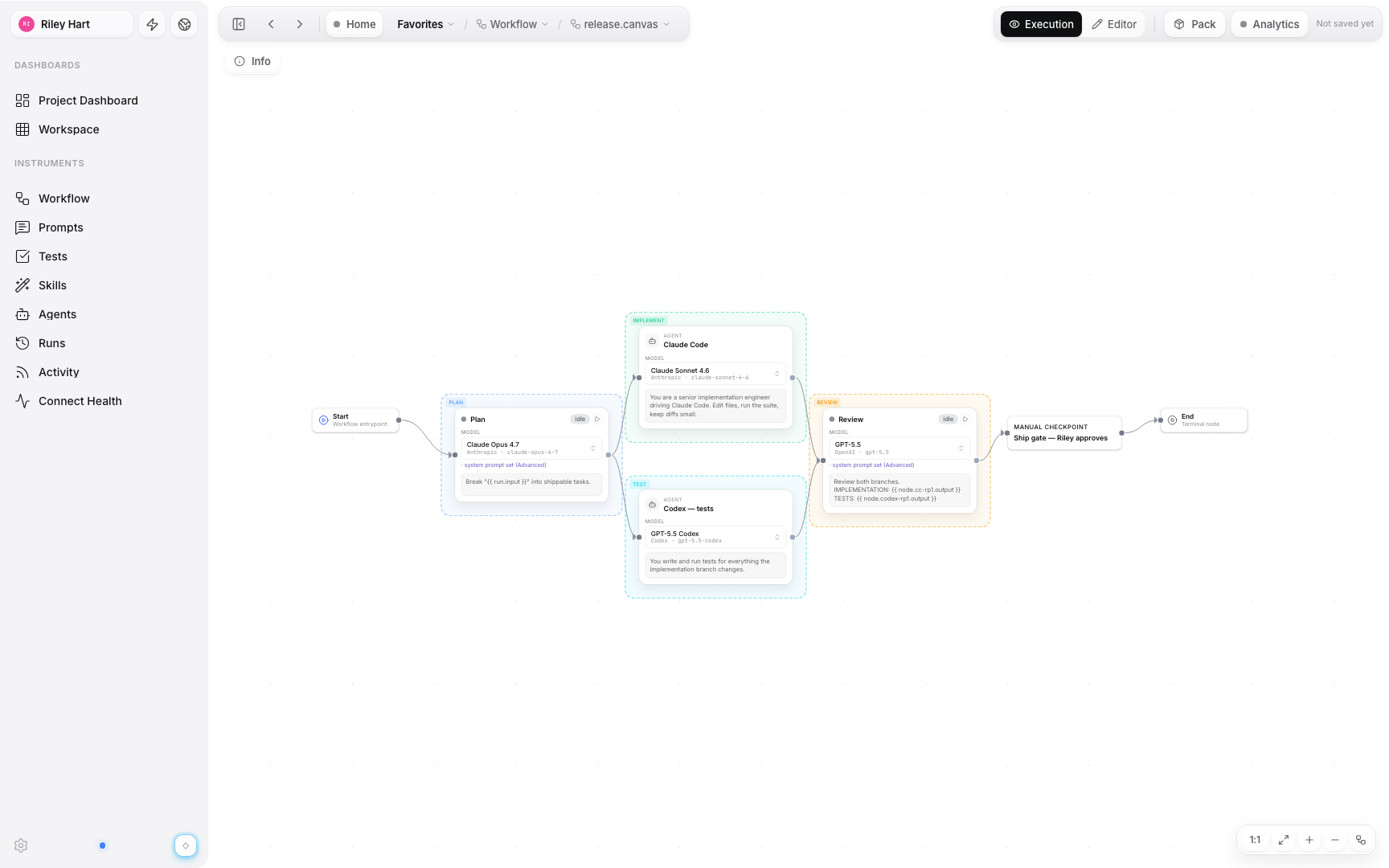
Compose the whole flow as a graph — no YAML, no glue scripts. A visual editor on a pure-FSM engine, built on @xyflow/react.
The graph is the program.
Add input, agent, and end nodes and connect them with typed arrow edges that show exactly how data flows. Branch, merge, and fan-out in a single view.
- Branch, merge and parallel fan-out
- Edges show which artifact flows where
- Pure-FSM execution engine
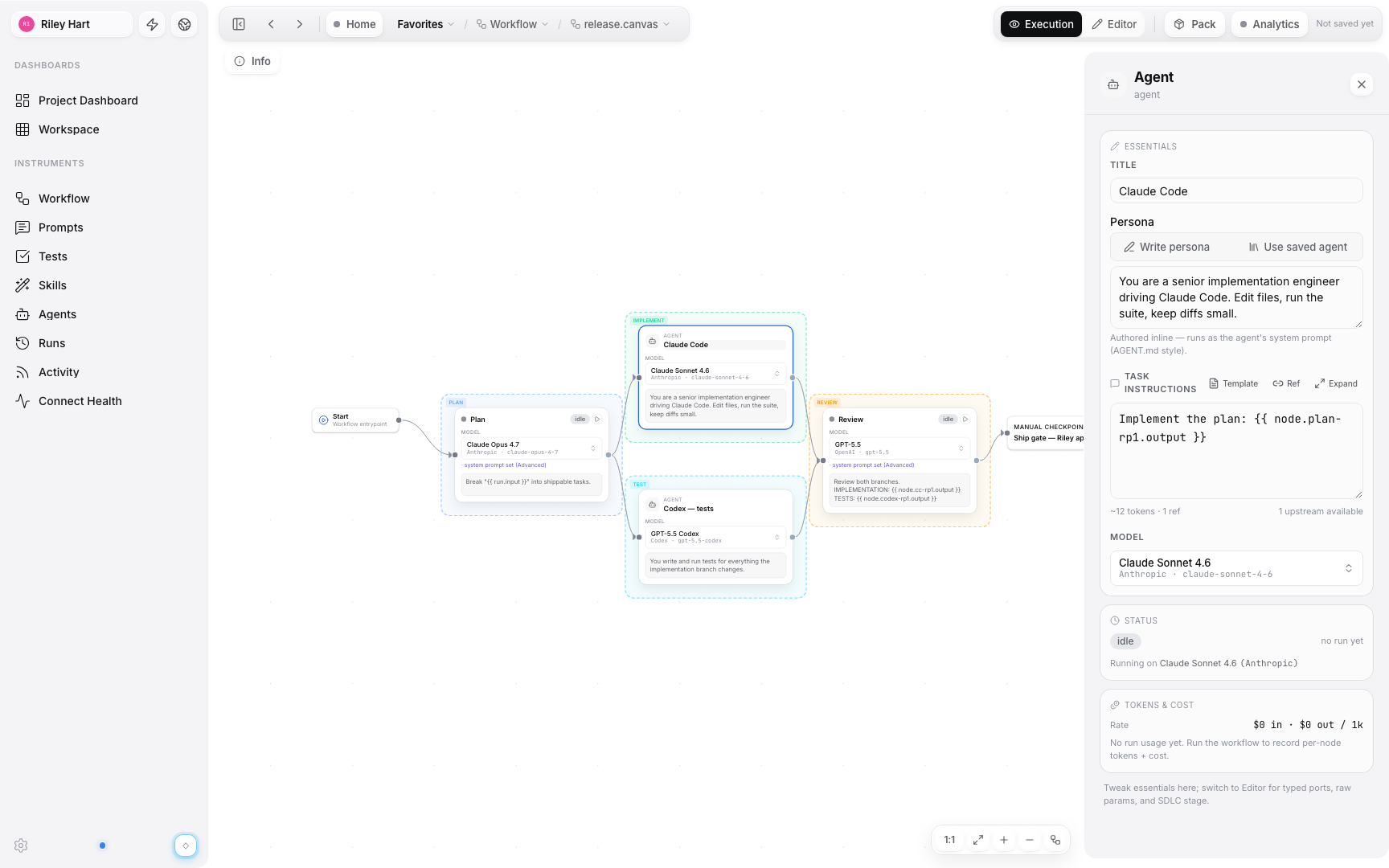
Every node is configurable.
Click a node to pin its runner, write the instruction, and tune parameters. Inline personas and role presets get you from blank node to working step in seconds.
- Per-node model, temperature & max-tokens
- Inline persona & role presets
- Typed input/output ports
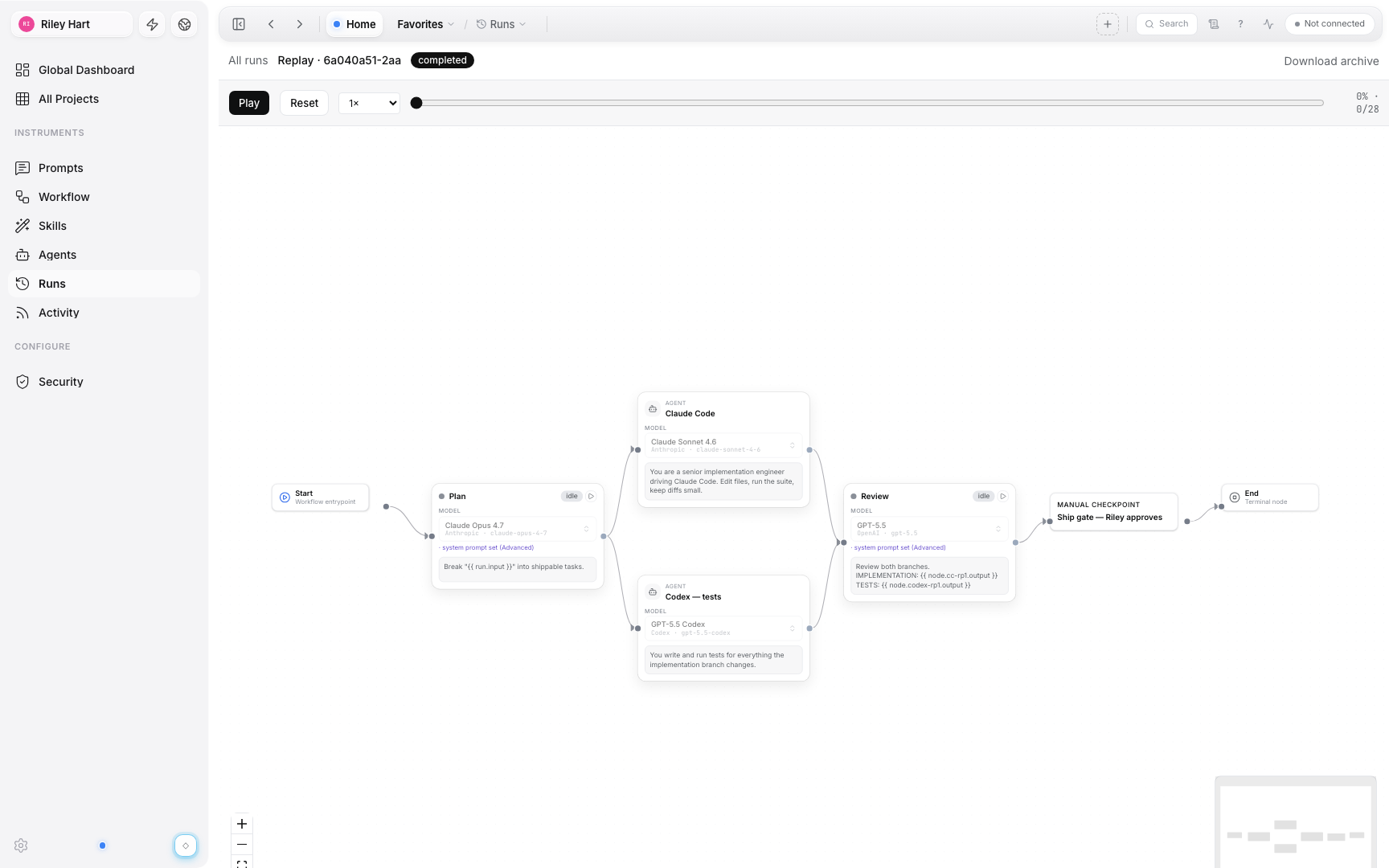
Replay any run on the canvas.
Every execution is recorded. Scrub the timeline, watch nodes light up in order, and inspect exactly what each step produced.
- Timeline scrubber over the live graph
- Per-node status & cost
- File-based artifacts under .futsu/runs/
What teams use Canvas for.
Gate a risky merge behind a human checkpoint
Wire a [HOLD] gate before ship — the run pauses until a person approves.
Retry a flaky step without restarting the run
Per-node retries with jittered backoff — nodes that already passed are not rerun.
See which artifact flows down every edge
Typed input/output ports make the handoff explicit — the graph shows what goes where.
Your next pipeline starts on a canvas.
Open a canvas, drop your first nodes, and run it in minutes.